Inside the Novix Notebook: How to Organize Your Entire Research Project in One Place
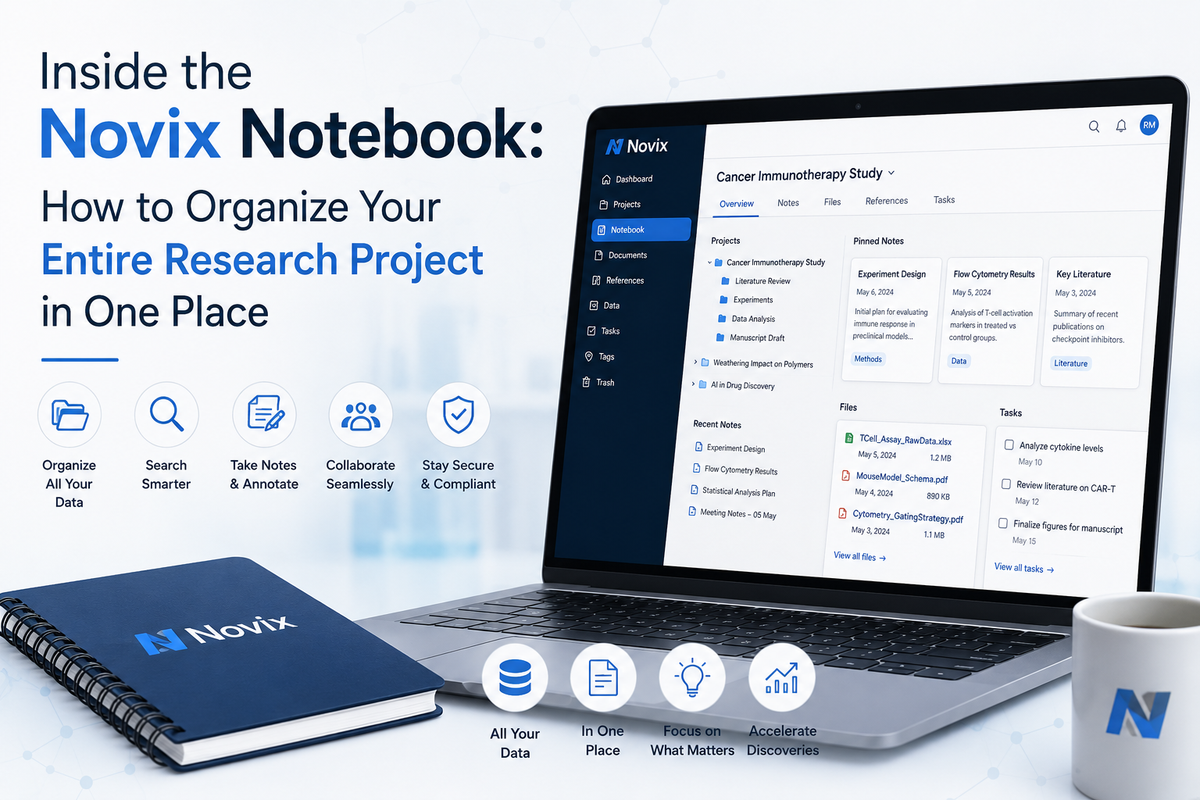
Ask any researcher what actually slows a project down and "thinking" is rarely the answer. It's the logistics — finding the paper you skimmed three weeks ago, remembering why you dropped an earlier hypothesis, reconciling two versions of the same dataset. None of that is science. All of it eats time that should go toward science.
This is a practical, step-by-step look at the Novix Notebook: what it actually looks like to run a project inside it, from the first goal you set to the manuscript you export. If you're evaluating whether to move a project into Novix, this is the walkthrough to read.
Starting a project: how the Notebook gets seeded
A Notebook doesn't start empty in the way a blank document does. You give it a starting point — a research goal, a specific question, or a set of reference papers you want to build on — and that becomes the first entry. From there, the Novix AI research agent begins populating the Notebook as it works through the literature and proposes directions.
Two common starting points:
- Goal-first. You describe what you're trying to discover or test, and Novix works outward from there — reviewing literature, then proposing hypotheses aligned with your goal.
- Paper-first. You upload a handful of papers you already consider foundational, and Novix uses them as the seed for literature synthesis and gap analysis.
Either way, the Notebook begins tracking the project from that first input onward, rather than treating each session as disconnected.
Moving through the stages without losing the thread
A research project rarely moves in a straight line, and the Notebook is built around that reality rather than fighting it. The stages it tracks map to how research actually gets done:
- Literature review. Synthesized summaries and identified gaps, kept as a living section rather than a one-time export.
- Hypothesis generation. Each proposed hypothesis is recorded with the reasoning and literature that support it.
- Method and experiment design. Protocols and statistical approaches, explicitly tied back to the hypothesis they test.
- Data analysis. Results, figures, and interpretation as they're produced.
- Manuscript drafting. A running draft that pulls from every section above.
Because each stage links to the ones around it, going back to revise a hypothesis after new results come in doesn't mean starting a new document — it means editing a section that everything downstream can still reference.
A day inside the Notebook: a realistic example
Say you're three weeks into a project studying a specific biomarker. Your Notebook by that point might contain a literature synthesis flagging an underexplored subgroup, two hypotheses Novix generated from that gap, a draft experimental protocol for testing the stronger of the two, and an early results section from a first analysis pass.
New data comes in that complicates one of your assumptions. Instead of opening a fresh document to reconcile it, you update the relevant section directly in the Notebook. Because the sections are connected, the method design and manuscript draft that referenced the old assumption are flagged for review — so the inconsistency gets caught before it quietly survives into a final draft.
Why this matters more than it sounds like it should
Research errors that make it to publication rarely come from a single bad idea. They come from small inconsistencies compounding — an assumption that changed but wasn't propagated, a citation that got outdated, a method that no longer matches the hypothesis it was built for. A structured, connected notebook doesn't eliminate that risk, but it makes those inconsistencies visible earlier, when they're cheap to fix instead of expensive to retract.
Notebook features worth knowing about
- Persistent context. Return to a project after a break, and the Notebook — and the agents working within it — pick up exactly where things stood.
- Section-level editing. You're never locked out of anything the AI produced; every section is yours to revise.
- Traceable reasoning. Hypotheses and methods carry the literature and logic behind them, not just the final output.
- Manuscript continuity. The draft stage pulls directly from the sections that came before it, instead of requiring you to reassemble everything by hand.
Comparing a Notebook-based workflow to a typical setup
| Task | Typical Multi-Tool Setup | Novix Notebook |
|---|---|---|
| Track literature gaps | Spreadsheet or reference manager | Built-in, linked to hypotheses |
| Record hypothesis reasoning | Notes app, easily lost | Stored with each hypothesis |
| Reconcile changed assumptions | Manual cross-checking | Downstream sections flagged automatically |
| Resume after a break | Re-read everything to regain context | Full context persists automatically |
| Move to manuscript | Manual assembly from scattered files | Draft builds from existing sections |
Frequently Asked Questions
Do I need to set up the Notebook manually?
No. It's created automatically when you start a project and populated as the Novix agents complete each stage.
Can I use the Notebook for a project I've already started elsewhere?
— upload your existing reference papers or notes as a starting point, and Novix will build the literature and hypothesis sections from there.
What happens if I change an earlier hypothesis?
The Notebook flags related sections — methods, analysis, or manuscript text — that referenced the old assumption, so you can review them rather than let the inconsistency slip through.
Is the Notebook only useful once a project is finished?
No — it's meant to be used throughout, from the first literature pass to the final manuscript draft, not just as a place to store final results.