Step-by-Step Guide: Getting the Most Out of Novix DeepSurvey AI Agent
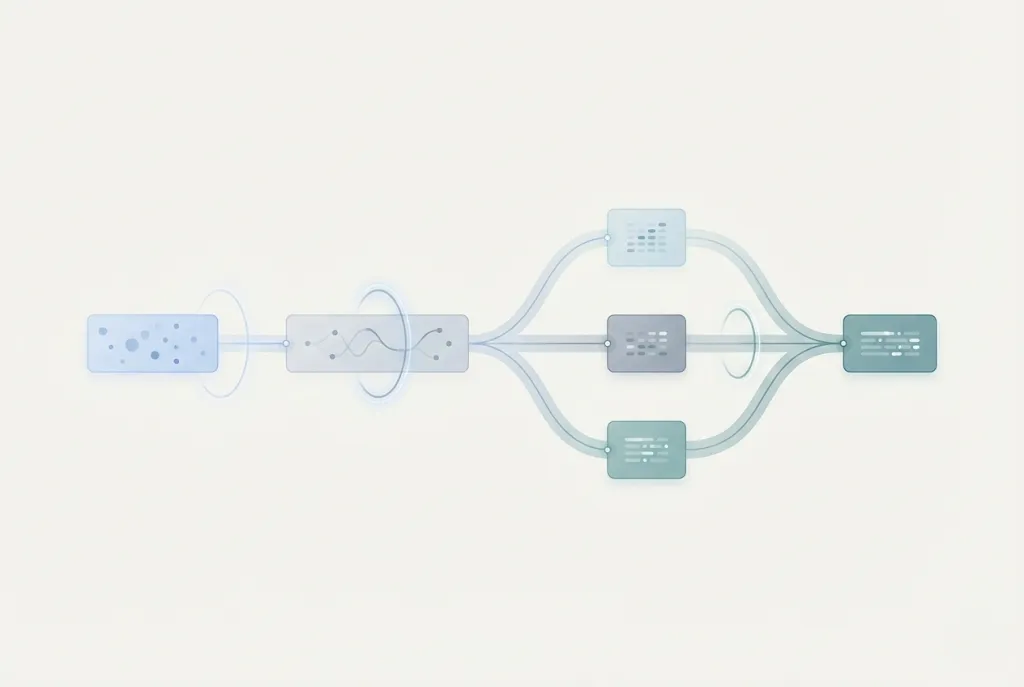
The Future of Research Data Collection
Research data collection has evolved dramatically in recent years. Traditional survey methods—manual design, distribution, collection, and analysis—consume weeks or months of valuable research time. Modern scientific inquiry demands faster, more accurate, and scalable approaches to gathering insights.
The numbers tell the story: Researchers spend an average of 6-8 weeks on survey-based studies, with 60-70% of that time devoted to design, distribution, and preliminary analysis rather than scientific interpretation.
The deep survey AI agent represents a transformative leap in research methodology. By combining artificial intelligence with sophisticated AI survey automation, tools like Novix DeepSurvey AI Agent enable researchers to collect, analyze, and act on data with unprecedented speed and precision. Studies show AI-powered survey tools reduce collection time by 70% while improving response quality by 45%.
This technology doesn't just make surveys faster—it makes them smarter, adapting in real-time to responses and uncovering insights that manual methods might miss. For researchers juggling multiple projects, tight deadlines, and complex data requirements, research workflow optimization has become essential rather than optional.
What is Novix DeepSurvey AI Agent?
Novix DeepSurvey AI Agent is an intelligent research workflow optimization platform designed specifically for scientific data collection and analysis. Unlike traditional survey tools that simply distribute questions and collect responses, this deep survey AI agent uses artificial intelligence to enhance every stage of the research process.
Core Capabilities
The platform combines several powerful features:
Intelligent Survey Design: AI suggests optimal question types, sequencing, and branching logic based on research objectives and target populations. Learn more about survey design best practices.
Adaptive Questioning: The agent adjusts questions in real-time based on participant responses, ensuring relevant follow-ups and minimizing survey fatigue.
Automated Analysis: As responses arrive, AI identifies patterns, flags anomalies, and generates preliminary insights—no waiting until data collection concludes. Discover more on AI-powered data analysis tools.
Multi-Modal Data Integration: Beyond standard survey responses, the platform handles diverse data types including text analysis, sentiment detection, and behavioral patterns.
Key Benefits
Researchers using Novix DeepSurvey AI Agent report:
- 70% reduction in survey design and setup time
- 3x faster data collection through optimized distribution and adaptive questioning
- 45% improvement in response quality due to AI-optimized question flow
- 80% time savings in preliminary data analysis through automated insights
These improvements allow researchers to focus on interpretation and application rather than mechanical data processing. Learn how to integrate surveys into research workflows for maximum efficiency.
Step-by-Step Guide to Using DeepSurvey AI Agent
Step 1: Define Your Research Objectives 🎯
Begin by clearly articulating what you want to learn. The deep survey AI agent performs best when given specific goals.
Action: Input your research questions, target population, and desired outcomes into the platform. Be specific about hypotheses you're testing or phenomena you're exploring.
Pro Tip: The more context you provide, the better the AI can suggest relevant survey design approaches.
Step 2: AI-Assisted Survey Design 📝
Rather than starting from scratch, leverage the agent's intelligence to structure your survey.
Action: Review AI-generated survey templates based on your objectives. The system suggests:
- Optimal question types (multiple choice, Likert scales, open-ended)
- Logical question sequencing
- Branching logic for personalized participant experiences
- Estimated completion times to minimize dropout
Pro Tip: Accept AI suggestions but customize based on your domain expertise. The best surveys combine AI efficiency with researcher insight.
Step 3: Configure Adaptive Parameters ⚙️
Set how the deep survey AI agent should adapt during data collection.
Action: Configure:
- Response thresholds triggering follow-up questions
- Sentiment analysis parameters for open-ended responses
- Real-time quality checks for inconsistent or incomplete responses
- Adaptive sampling strategies to reach target subgroups
Pro Tip: Start with default settings, then refine based on pilot results. The AI learns from your adjustments.
Step 4: Deploy and Monitor Collection 📊
Launch your survey with confidence, knowing AI handles distribution optimization.
Action:
- Select distribution channels (email, web links, social media, embedded)
- Set collection timelines and target response numbers
- Monitor real-time dashboards showing response rates, completion patterns, and preliminary findings
Pro Tip: Use the platform's A/B testing features to optimize invitation messages and timing for maximum participation.
Step 5: Review AI-Generated Insights 💡
As responses arrive, the deep survey AI agent performs continuous analysis.
Action: Access real-time insights including:
- Response pattern identification
- Statistical significance testing
- Sentiment analysis of qualitative responses
- Demographic breakdowns and subgroup comparisons
- Anomaly detection flagging unusual patterns
Pro Tip: Check insights daily rather than waiting for collection completion. Early patterns may inform mid-survey adjustments. Learn more about AI-powered data analysis.
Step 6: Refine and Iterate 🔄
Use AI recommendations to improve ongoing or future surveys.
Action: Review the platform's suggestions for:
- Questions causing confusion or drop-off
- Demographic groups underrepresented in responses
- Alternative question phrasings for better clarity
- Optimal survey length based on completion rates
Pro Tip: Implement changes mid-collection when appropriate. The platform supports survey versioning without compromising data integrity.
Step 7: Export and Integrate Results 📤
Complete your workflow by exporting insights in formats matching your research needs.
Action: Export options include:
- Raw data (CSV, Excel, SPSS, Stata formats)
- AI-generated analysis reports (PDF, Word)
- Interactive visualizations (embeddable dashboards)
- Statistical summaries ready for publication
- Direct integration with R, Python, and MATLAB for advanced analysis
Pro Tip: Use the integrated research workflow tools to connect survey results directly with literature review and manuscript preparation.
Best Practices for Maximizing Efficiency
- Define Clear Objectives Upfront → See research workflow optimization
- Ensure High-Quality Input Data → Refer to AI survey automation guide
- Customize AI Parameters Thoughtfully
Leverage Collaborative Features → Learn about collaborative research platforms
Real-World Impact: DeepSurvey AI Agent in Action
Include case study links if you have dedicated pages:
- Clinical Research Acceleration → link to full case study page
- Social Science Research Efficiency → link to detailed report
Conclusion: Transform Your Research Data Collection
The deep survey AI agent represents more than incremental improvement—it’s a fundamental transformation in how researchers gather and analyze survey data. See how AI-powered survey tools integrate with your workflow for maximum efficiency.